sasplot
Manual
The following sections describe the purpose of SASPLOT and the file formats it can display.
Introduction
SASPLOT, is a lightweight viewer mostly intended for experimental SAS data (.dat) files, but it can handle a large variety of ATSAS input formats. In particular:
- experimental SAS data (.dat)
- calculated SAS intensity data (.abs)
- calculated SAS intensity data (.int)
- fit to calculated data (.fit)
- fit to experimental data (.fir)
- regularised SAS data (.out)
- .csv
- .den
- .vr
- .pam
- .str
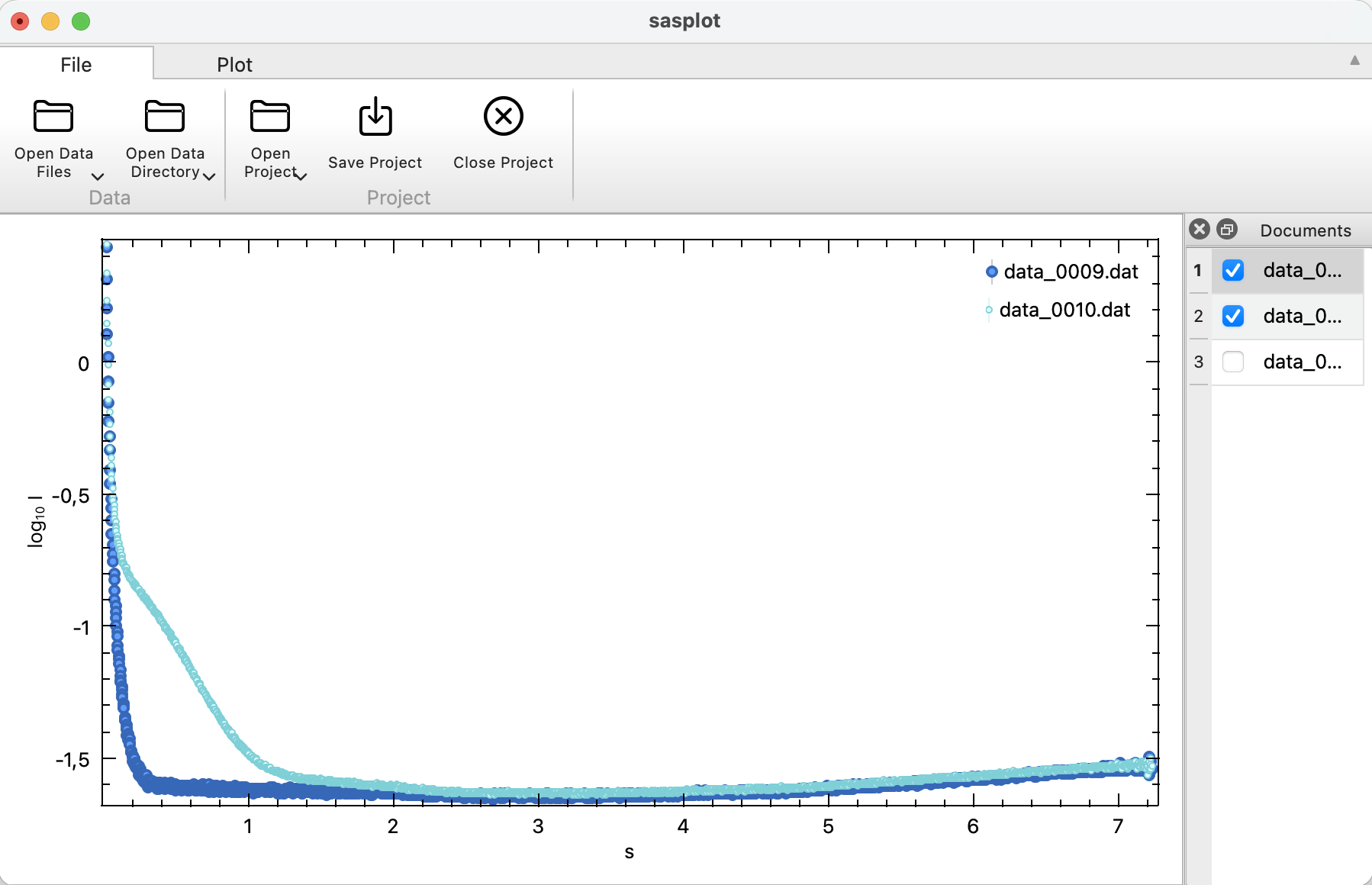
SASPLOT only displays all data present in any input file in the plot window. One or more files may be viewed simultaneously, the state of SASPLOT may be saved as project.
The document window to the right allows to quickly show/hide individual data sets by (un)checking the corresponding check box.
All plot features are supported.
Running sasplot
Working with Data
SASPLOT displays one or more experimental data files in various formats.
- To load a data files individually: File -> Open Data File. This adds the selected data to the current project.
- To load all data files in a directory: File -> Open Data Directory.
Working with Projects
Projects contain information about loaded data and all plot configurations done previously. There can be only one project open at a time, but each project may contain more than one data file.
SASPLOT starts with an empty project and adds loaded data files to it.
- To load a previously saved project: File -> Open Project. Loading a new project replaces the current project.
- To save the current application state: File -> Save Project. If no project is currently active, it is saved to a new project file.
- To save the project in a new file: File -> Save Project As.
- To close the current Project: File -> Close Project. Closing a project removes all data from all plots.
- To package a project to a self-contained .zip archive: File -> Package Project